Wizard · Minecraft skin
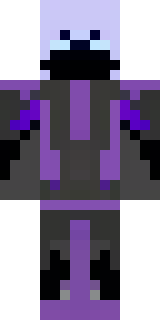
A fire mage in crimson robes with burning orange sleeves
Scarlet robes flare around a tall figure, layered in deep reds and ember tones with vivid orange sleeves that seem to glow with inner flame; charcoal trim, braided silver runes and a soot-kissed hood add arcane texture and focus to the silhouette. Slip into the role of a temperamental pyromancer leading dawn raids on icy biomes or standing as a volatile guardian of a lava-forged tower, trading diplomacy for scorch-marked authority.
Palette
#e1565a
#343144
#3c3146
#b43d63
#2c2b3d
#332e42
- Theme
- Wizard
- Dimensions
- 64×64 · Java + Bedrock
- Format
- PNG (transparent)
- Model
- minecraft-skin-generator-sdxl
- Seed
- 3961002313
- Added
- 3 Jul 2026