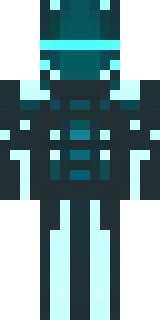
Ninja · Minecraft skin
A neon cyber-ninja in dark bodysuit with teal light trim
A lithe shadow operative in a matte obsidian suit traced with electric teal piping, mirrored visor slits, and tactical banding that catches the glow like circuitry. Slip into urban infiltration or high-tech espionage, darting between neon skylines and server vaults as a silent saboteur who leaves only flickering footprints.
Palette
#010303
#43fcfa
#f3f93b
#3dfdf9
#4cfffe
#44faf6
- Theme
- Ninja
- Dimensions
- 64×64 · Java + Bedrock
- Format
- PNG (transparent)
- Model
- minecraft-skin-generator-sdxl
- Seed
- 3279757430
- Added
- 4 Jul 2026