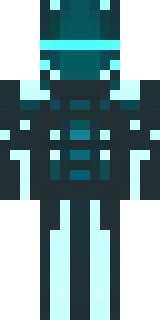
Ninja · Minecraft skin
A shadow ninja in matte black with a red scarf
A silent assassin cloaked in matte obsidian tones, this stealthy figure is trimmed with ink-dark armour panels and a striking scarlet scarf that flutters across the shoulders, plus subtle crimson stitching and a masked visor that hides the eyes. Slip into covert missions, stalk enemy bases by moonlight, or play a lone vigilante defending villages from unseen threats.
Palette
#2b353c
#333c44
#3b454c
#242d33
#4a545d
#11151a
- Theme
- Ninja
- Dimensions
- 64×64 · Java + Bedrock
- Format
- PNG (transparent)
- Model
- minecraft-skin-generator-sdxl
- Seed
- 1080332674
- Added
- 4 Jul 2026